

Living Room for Music
The Growing Destination For Music and Visual Storytelling
As more viewers continue to watch more of their favorite content on TV, the opportunity for artists to get their music in front of the right fans grows too…but just how much growth are we talking about?
From Aug. 2024 to Jan. 2025, music fans watched more than 1.4B hours of music videos on TV every month.*
Ad-supported music views in the Living Room have grown 13% year-over-year*, outpacing overall views growth.

What Does This Mean for Artists?
This exciting growth introduces more ways for new fans to:
- Discover your music
- Be immersed in your visual storytelling
- Explore even more of your content fit for the big screen

DID YOU KNOW: For at least 5 years, the TV has been YouTube’s fastest growing screen by watch time*.
Serving Music Fans What They Want
(and what we predict they’ll love)
With audiences spreading across multiple devices and content formats, it’s more important than ever to make sure that the right fans are served the right content based on their music taste, actions and interests—thankfully, YouTube is already on it.
YouTube
Search
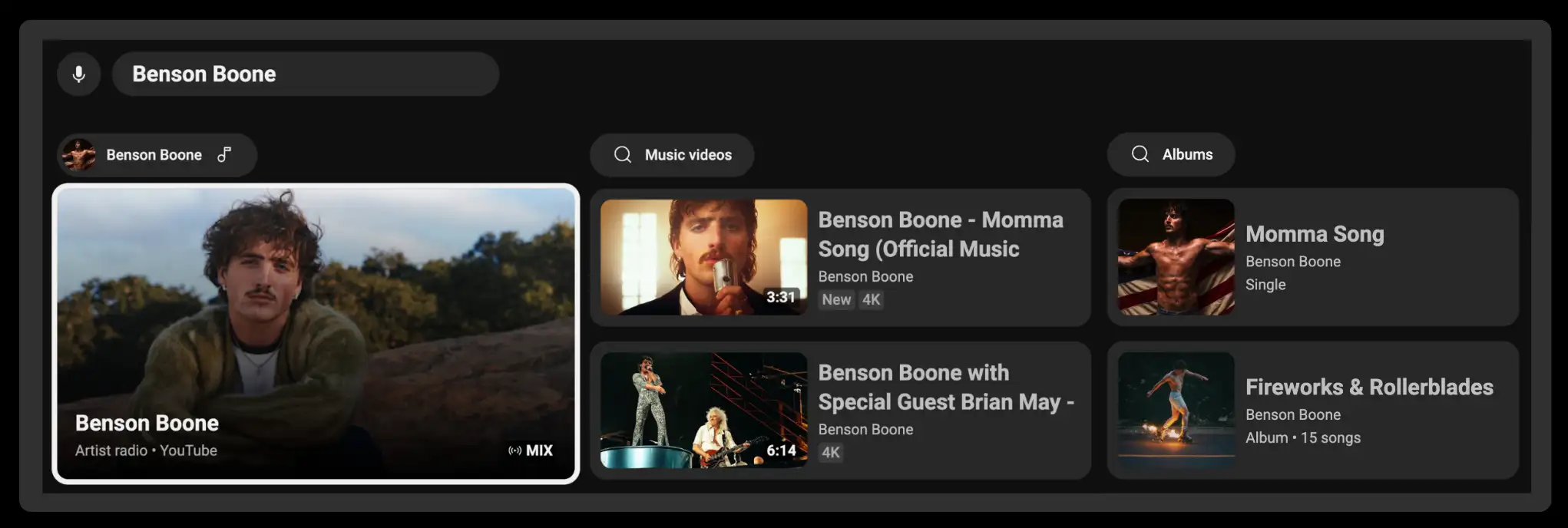
Typing full titles with a remote control can be a hassle. Lucky for music fans, YouTube brings artist content directly to them when they search an artist’s name, highlighting a variety of options for their preferred viewing experience, including:
YouTube Music
Music Tab on YouTube App
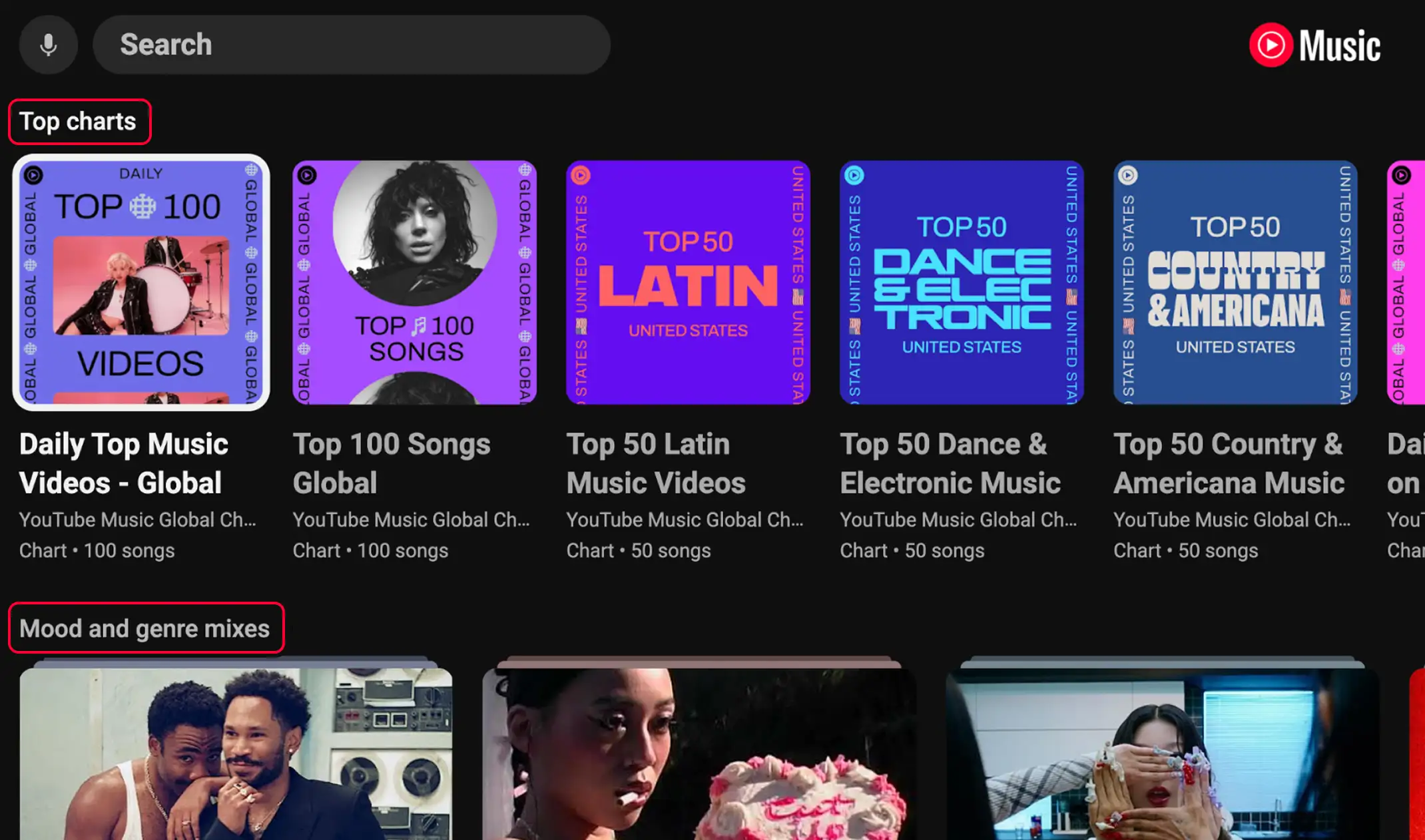
Every music fan is different, whether that be in what music they listen to, how they listen to music, and how they like to discover new music and artists. YouTube Music balances both personal music recommendations with charting or trending recommendations to allow fans to explore new content and re-engage with the artists they love.
What Sets TV Apart
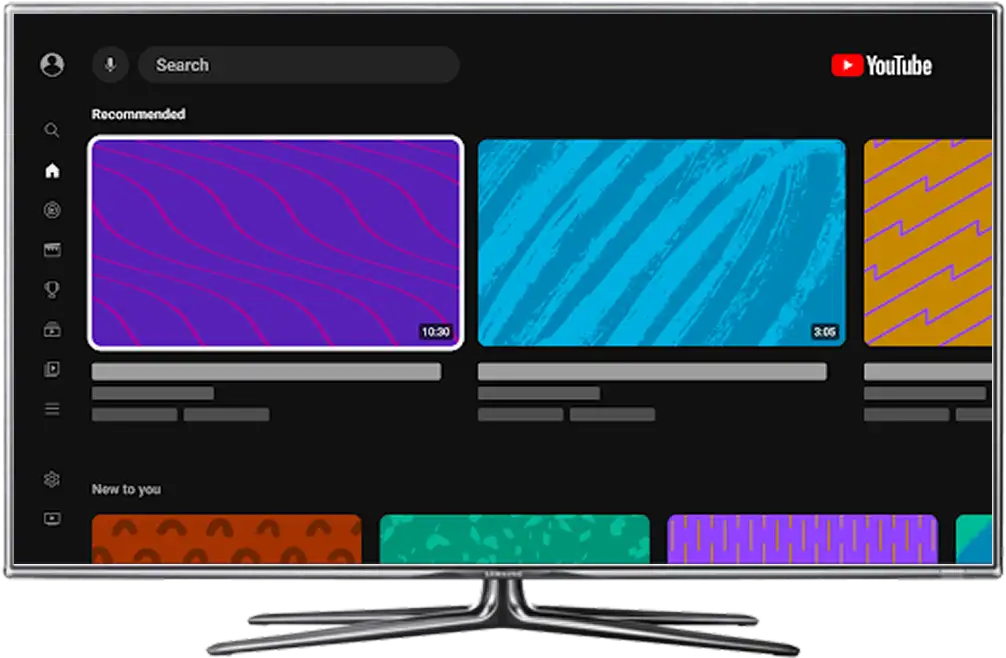
The TV is the centerpiece of many living rooms, offering the largest and most immersive screen in the home. This unique viewing context shapes how fans engage with YouTube on TV, leading to distinct behaviors and preferences compared to other devices.
While music fans are still avid consumers on mobile, we’re seeing consistent growth of music listenership and viewership on TVs.
- Well suited for immersive long-form content or visual storytelling
- Deeper focus on official artist content and music videos
- Offers seamless co-watching experience
- Well suited for on-the-go viewing and listening
- Easy to keep up with the latest updates, posts, and creations from artists and fans

Caters to leaned-in and lean-back viewing
From superfans watching at the edge of their seat as their favorite stars perform on a global stage to casual viewers looking to create a certain ambiance or vibe with the perfect background music and visuals, YouTube’s Living Room experience is flexible and surfaces the right content for every music fan’s viewing and listening preferences.
Multi-Format viewing
Artist content like music videos, live streams, and other visual storytelling assets are seamless to watch on TV, but did you know that Shorts thrive too? Last year, views of Shorts on TV more than doubled, bringing bit-sized viewing to the big screen.*
Best Practices
Fully immerse fans in your visual storytelling—including music videos, performance videos, and more—while maximizing the big-screen experience. Here are a few things artists can do to ensure that their content and OACs are primed for TV viewing:
Optimize Your Channel Art
Make Sure That It Works Across Devices
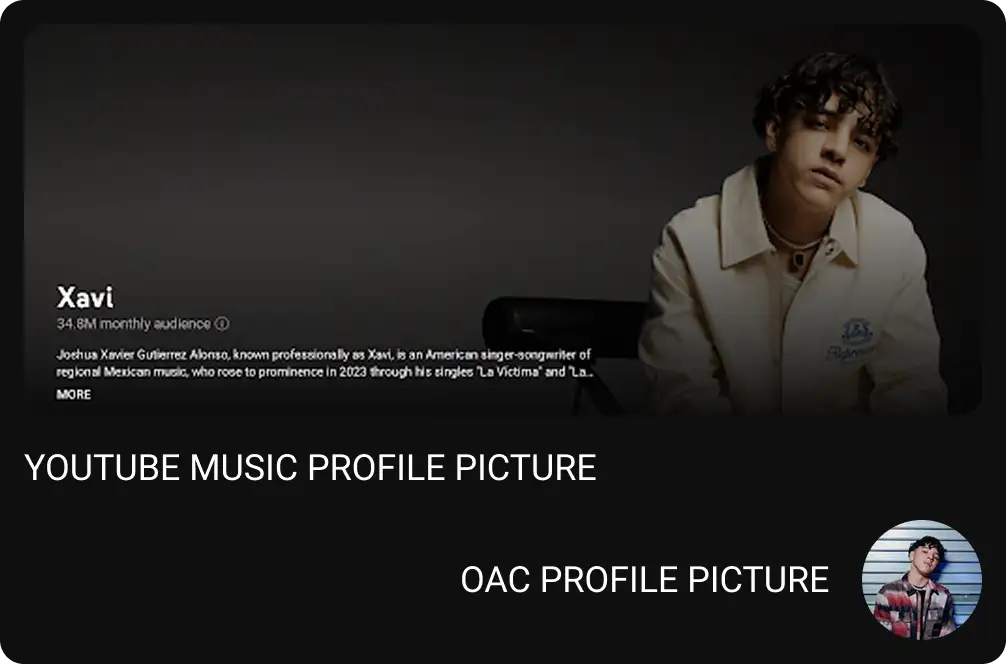
OACs on TV screens
Unlike other channels on YouTube, OACs on TV screens feature an artist’s YouTube Music Profile image, rather than the traditional channel banner or OAC profile image seen on desktop or mobile. Some guidelines include:
Use High Resolution Images
Ensure that your banner image is at least 5120 x 2880 pixels, with a resolution of at least 150 dpi.
Show Your Face
Make sure the artist or group’s faces are clearly visible in the profile image - do not use text or album art.
Be Mindful of Image Orientation
Images should be rectangular and in landscape mode. When selecting imagery, be mindful of white space around your face. Your image will be cropped into a square and a circle, so make sure you have enough space around the edges of your image.
Update Your YouTube Music Artist Profile Bio
Your YTM artist bio also appears prominently on TV. Please note that your channel description is separate from your artist profile biography.
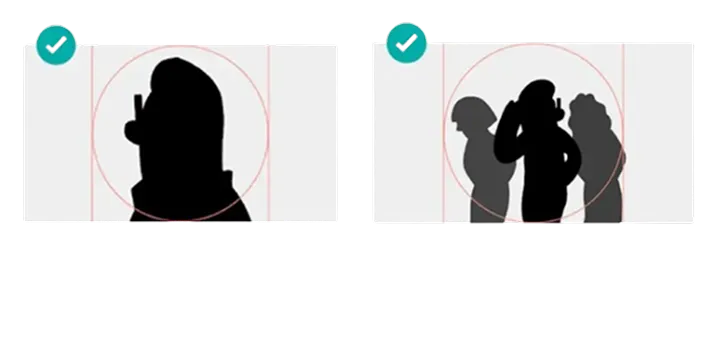

PRO TIP
Test visuals on a TV. If possible, preview your artist image and channel layout on an actual TV to see how it looks.
Curate Your Channel’s Content
Make Your Visual Storytelling Stand Out and Other Content Easy to Find
Prioritize and Group Together Music Videos
Your music video is the crown jewel of your music’s visual storytelling, so it’s important to put it front and center for fans—even on TV!
The visual real estate is different on TV screens than others, so it’s important that your music videos are one of the first things fans see.
Consider creating a playlist of only music videos, (excluding other assets like pseudo videos, visualizers, lyric videos, etc.) and placing it at the top of your channel. As an alternative, you can also feature your OAC’s automated playlists, like Releases and Music Videos.
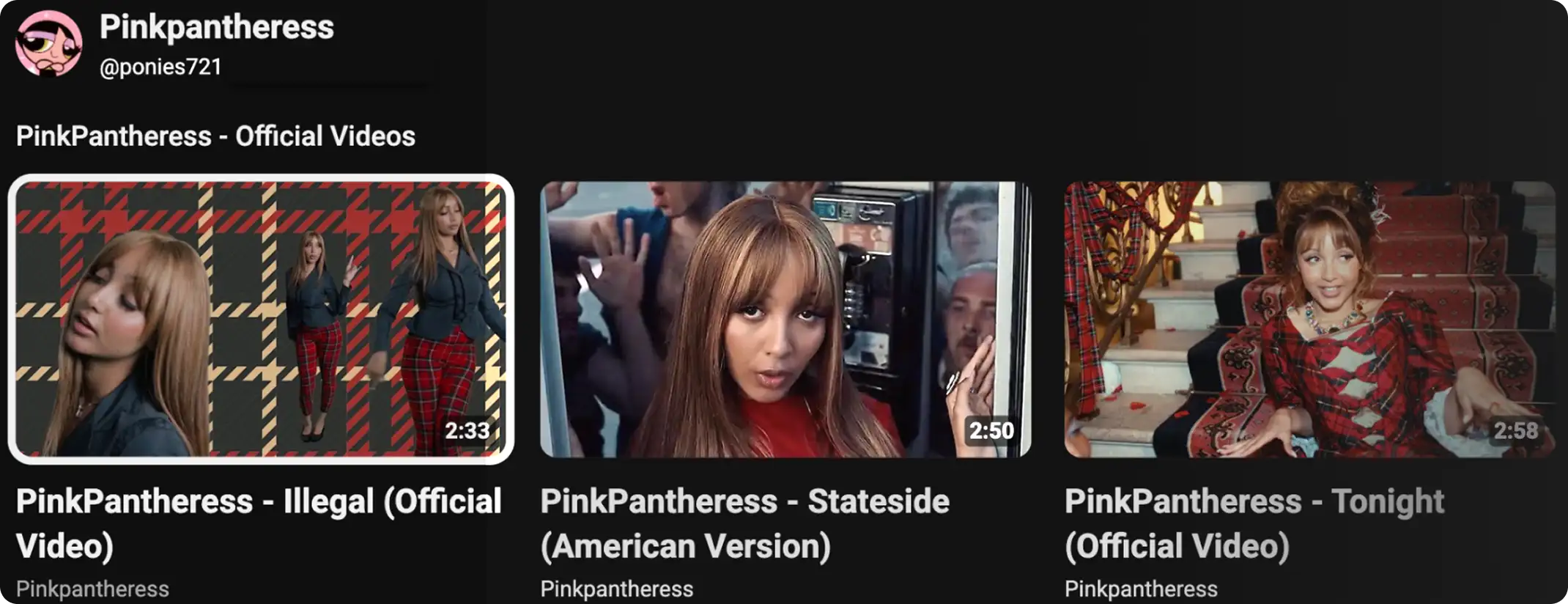
Leverage Playlists and Shelves
Organize playlists or shelves—which can be made up of both videos and playlists—to group together related or similar content, making it easier for fans to find the content they’re looking for.

Explore Organizing Playlists and Shelves By
Release (Album, EP or Single)
Many fans are coming to your channel because they know your music, so group together all content associated with priority releases or catalog for fans to browse more easily.
Format
Group together similar types of content so fans of those formats can explore more. Remember, you can also include videos from other channels that you’re featured in as well. Start with categories like interviews, live performances, and videos or songs you’re featured in.
Series
Highlight any recent or relevant episodic series of shoulder content on your channel. Fortunately, many TV viewers are already accustomed to watching episodic content, so make it easy for fans to binge your series.
Upload in the Highest Quality
Ensure Your Content Looks and Sounds Great on the Big Screen
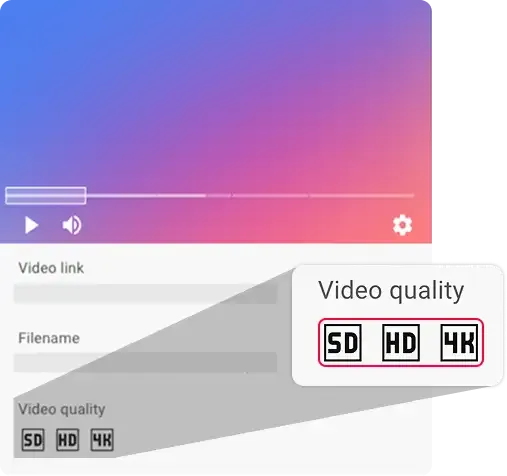
You can check the video quality of your video during the upload flow.
Top-Tier Audio-Visual Experience
Viewers tell us that their TVs’ picture and audio quality is one of the major factors in their choosing to watch YouTube on the big screen. So delivering that top-tier audio-visual experience
is key.
Upload in 4K
The share of videos uploaded to YouTube in 4K is up by over 35% year over year* Also, 4K videos consistently drive higher watch time on living room devices.*
Fine-Tune All Audio
TV sound systems can augment the auditory experience of your videos. While your official audio is already mixed and mastered, for shoulder content, note that higher-quality speakers can also pick up background noise, uneven
volumes, etc.
High-Resolution Thumbnails
Thumbnails appear much larger on larger TVs, so quality matters. A resolution of 1,280 x 720 or higher works best. Ensure that your images are balanced and uncluttered.