
Shorts for Artists
Bringing artists and their music closer to more fans than ever before.
Why Shorts
-
Audience Growth
Fans all over the world are discovering new music on Shorts. Get in the mix on Shorts and attract new fans. -
Fan Engagement
Shorts has tools that help you connect more deeply with your fanbase. Interact with your fans while bringing new fans in on the action. -
Music Promotion
You can use bite-sized content on Shorts to enhance your music release strategy and drive fans to your official release videos.


In January 2024, Shorts tripled the average artist's audience 3X of unique viewers. This means Shorts featuring an artist's music tripled the average artist's total reach.
In January 2024, artists active on Shorts saw more than 60% of their new subscribers coming directly from their Shorts 60% posts. "Artists active on Shorts” are defined as artists posting weekly shorts on average.
When Should I Use Shorts?
| Goal | Promoting a Release | Promoting a Tour | Audience Growth |
| Timing | Release cycle (Pre-release, release day, post-release) | Duration of the tour | Always On |
| How | Tease song and then make Shorts to inspire fan creation | Post performance highlights Show behind-the-scenes | Highlight catalog Engage with fan content |
Goal
Promoting a Release
Timing
Release cycle (Pre-release, release day, post-release)
How
Tease song and then make Shorts to inspire fan creation
Goal
Promoting a Tour
Timing
Duration of the tour
How
Tease song and then make Shorts to inspire fan creation
Goal
Post performance highlights Show behind-the-scenes
Timing
Always On
How
Highlight catalog Engage with fan content
How often should I post Shorts?
Try posting weekly and then re-adjust your posting schedule based on your Shorts’ performance.
Measure your Shorts Performance
We recommend looking at the following metrics within YouTube Analytics for Artists to start:
-
Creations
-
Subscribers from Shorts
-
Song Views from Shorts

Don’t get caught up in the numbers, but keep a pulse on any types of Shorts fans connect with most. YouTube recommends content based on an individual’s personal interests, video performance, and external factors like trends.
How To Make Shorts
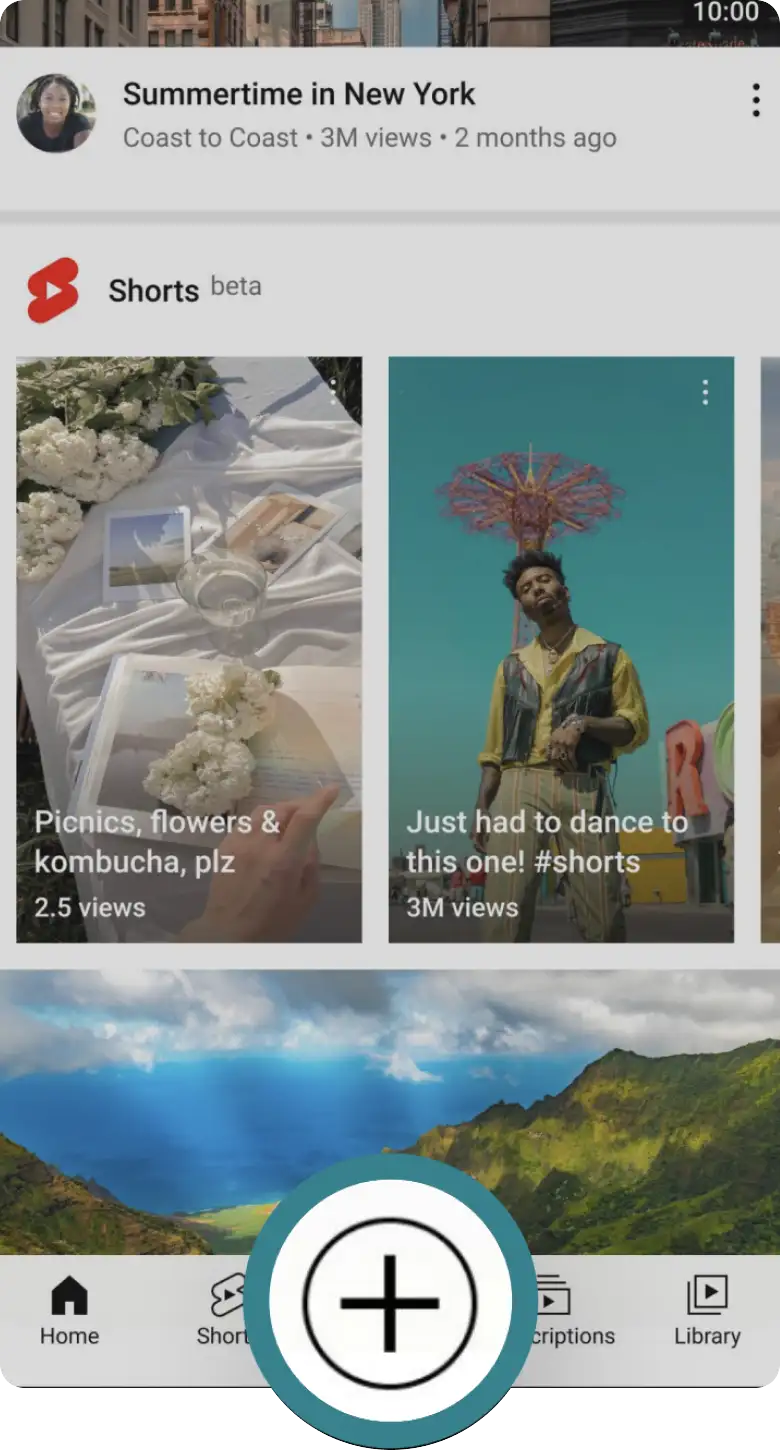
Start
Tap the Create (+) button within the YouTube app.
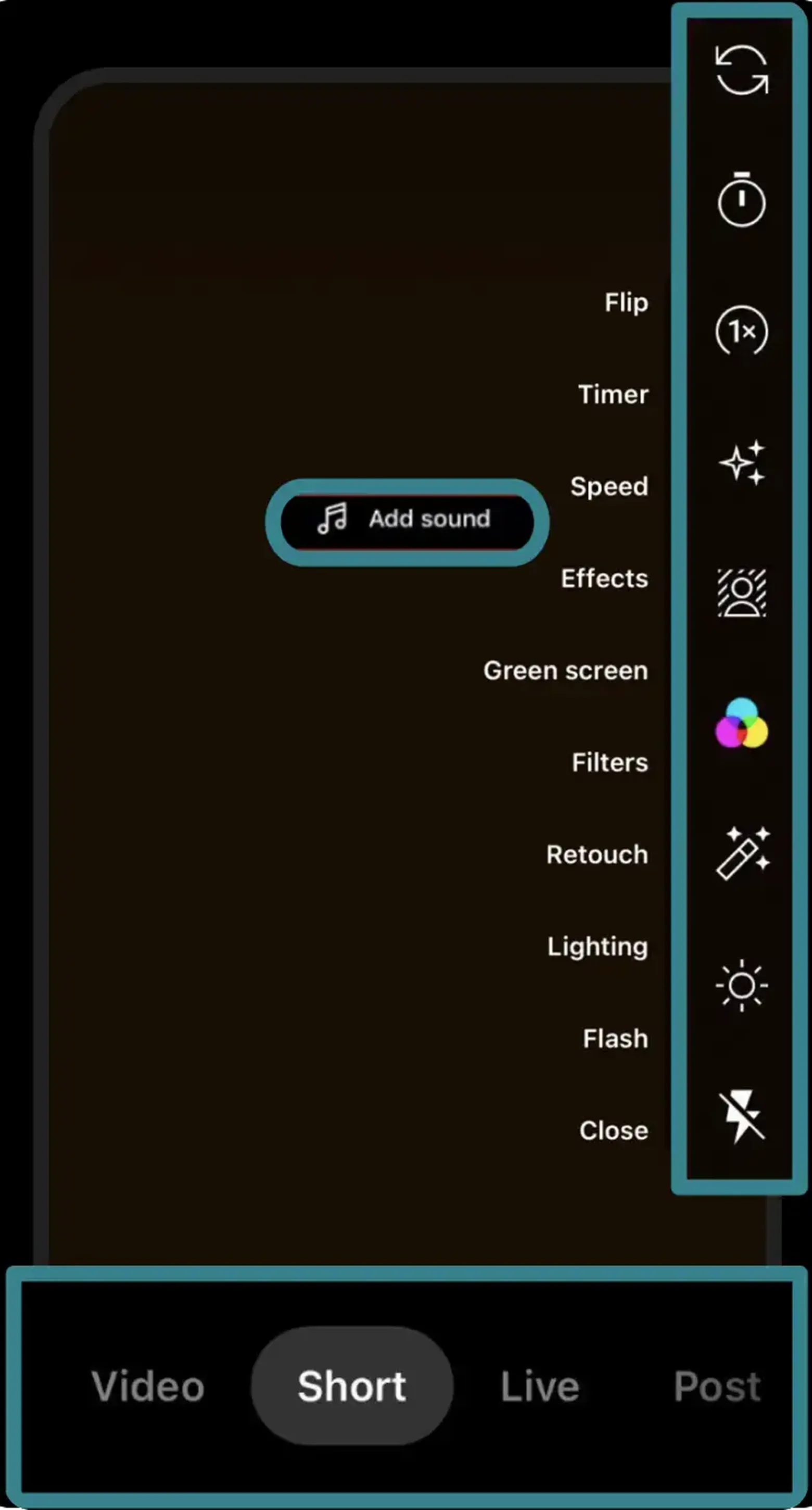
Create
You can toggle among content formats. Select Shorts, record, add sound, and use editing tools.
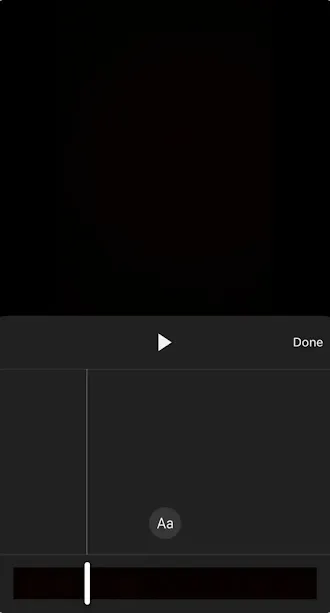
Edit
Edit your Short by adjusting clips in the video timeline, adding a voiceover, and more.
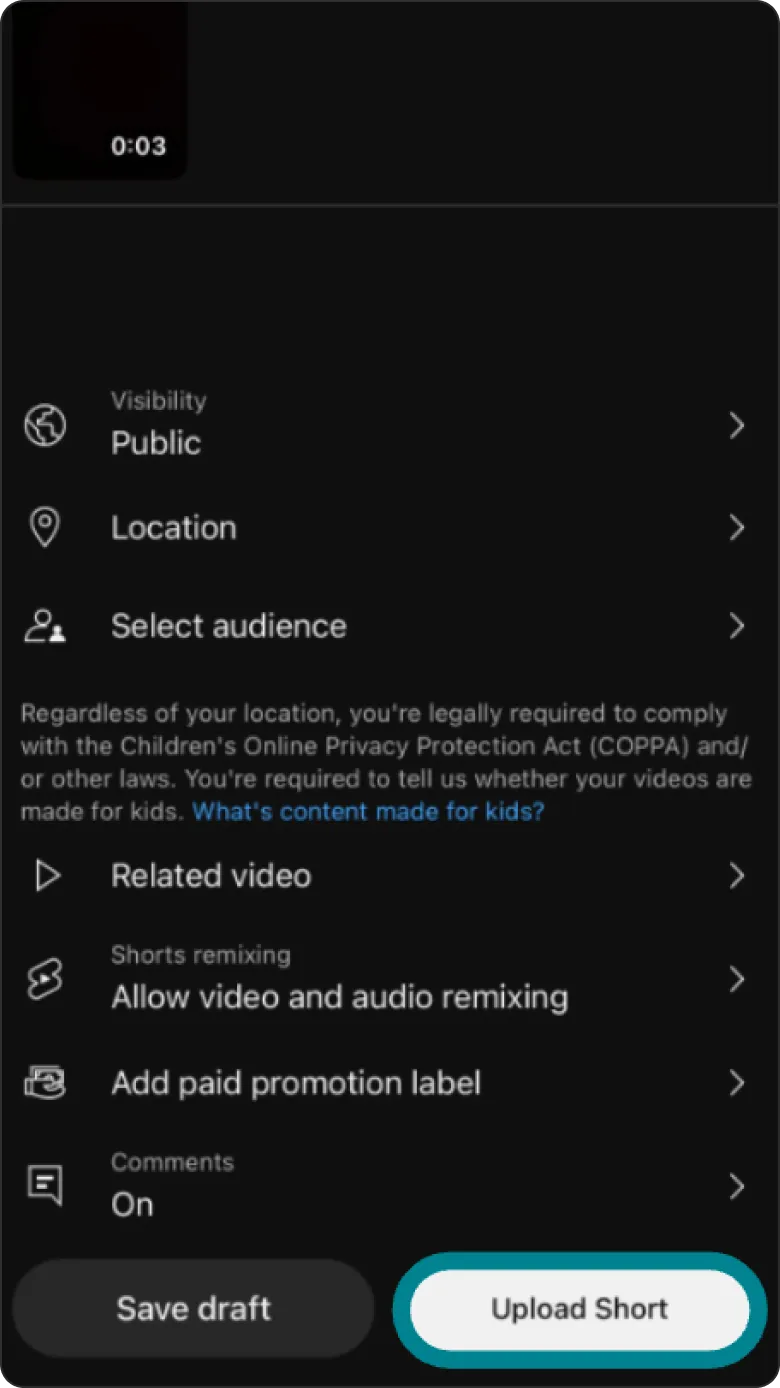
Personalize
Select a thumbnail, add a caption and hashtags, and adjust settings.
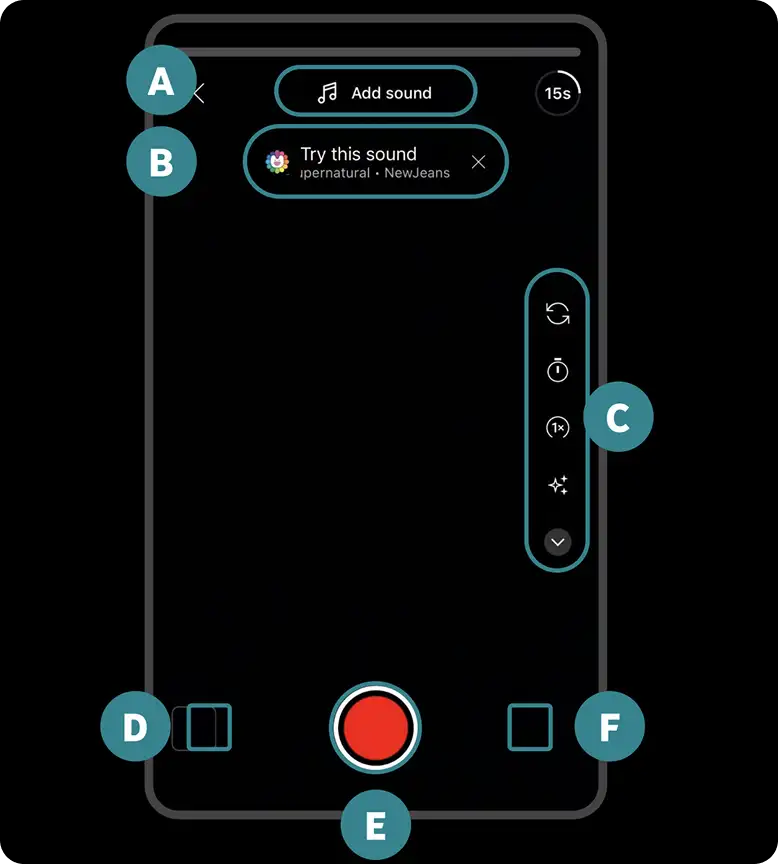
The Shorts Creation Tool
YouTube App
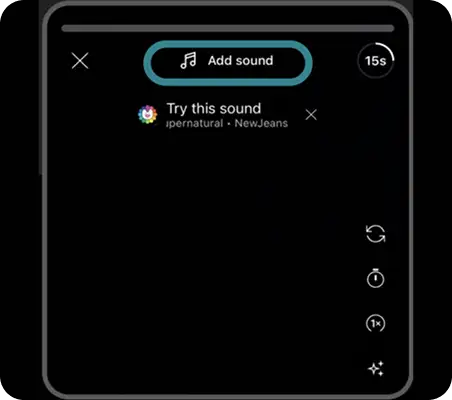
Audio Picker Select a song
Song Recommendation Shows up after you’ve watched a Short with remixable music
Editing Tools
Library Use your own video clips
Record Button
Drafts
Related Videos
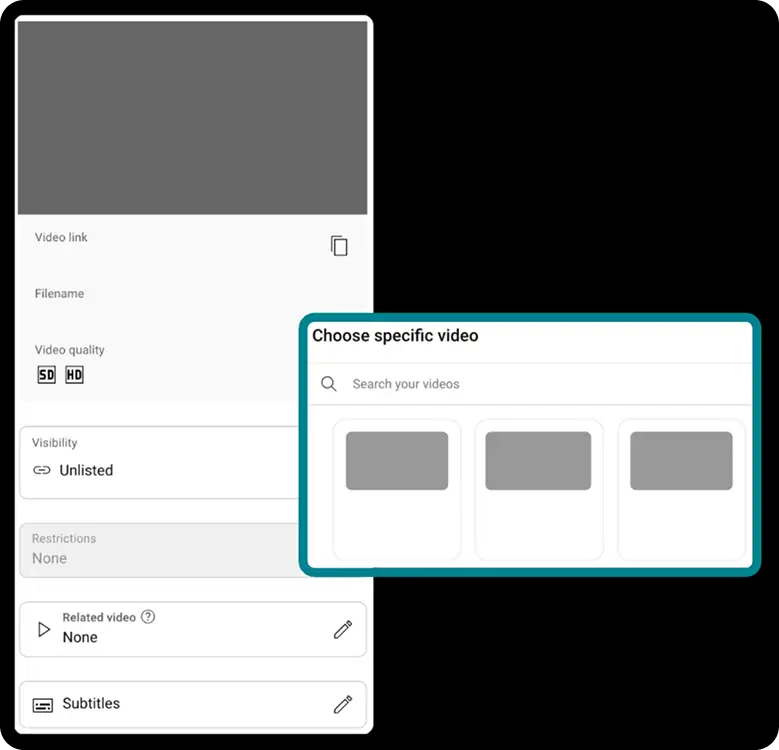
You are able to link long form videos in your Shorts.
Consider linking your Official Music Video to Shorts featuring your track. A video link will appear under your handle on the Short.
HOW
YouTube Studio > Content > Shorts > Edit > Related Video
Shorts Tools
-
FLIP
Alternate between front and back cameras
-
TIMER
Add a countdown before recording (3s, 10s, 20s) and select how long the recording will last.
-
SPEED
Speed up or slow down a recording (0.3x, 0.5x, 1x, 2x or 3x)
-
EFFECTS
Choose a filter to modify an appearance, lens or background.
-
GREEN SCREEN
Select a photo or video from your camera roll to be the background of your Shorts
-
FILTERS
Customize the color filter of your camera
-
RETOUCH
Add a beauty filter to enhance your Short
-
LIGHTING
Add a filter to enhance your Short’s lighting
-
FLASH
Turn your camera flash on and off









PRO TIP
To add music to your Shorts, always use the official song from the audio picker in the Shorts creation tool.
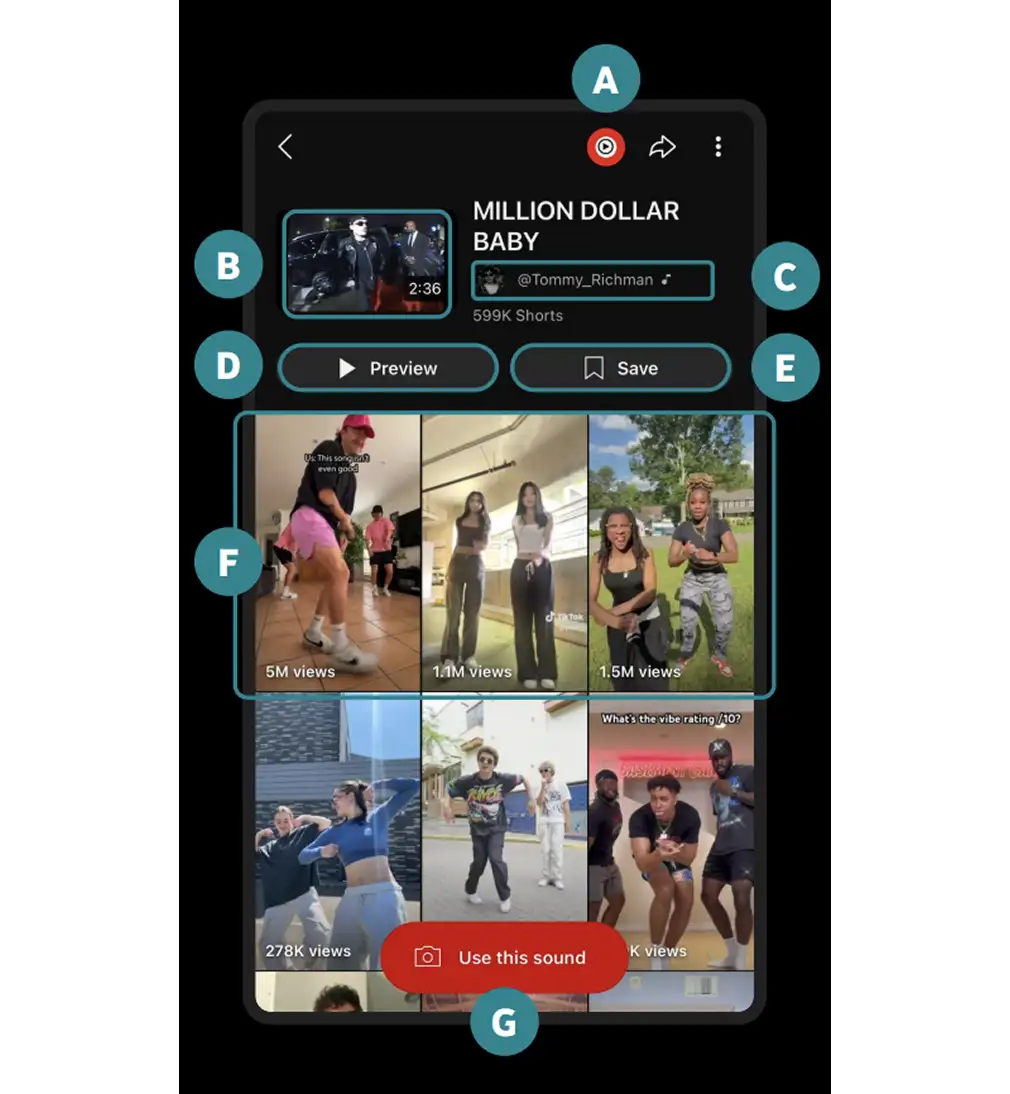
Fans can access the song library page from your Shorts, linking to all other Shorts using your song and your Official Music Video. If your clip already has music, find the song in the audio picker and sync to your Short.
The Song Library Page
After tapping on the song chip from your Short, fans will be taken to the song’s audio pivot page.
YouTube Music: Listen to the song in YouTube Music
Official Music Video: Tap to watch your Official Music Video or other release content
Official Artist Channel
Preview: Listen to the song clip
Save Song: Save to a “Sounds on Shorts” playlist
Top Shorts Creations
Creation Button: Fans can make their own Short with the song
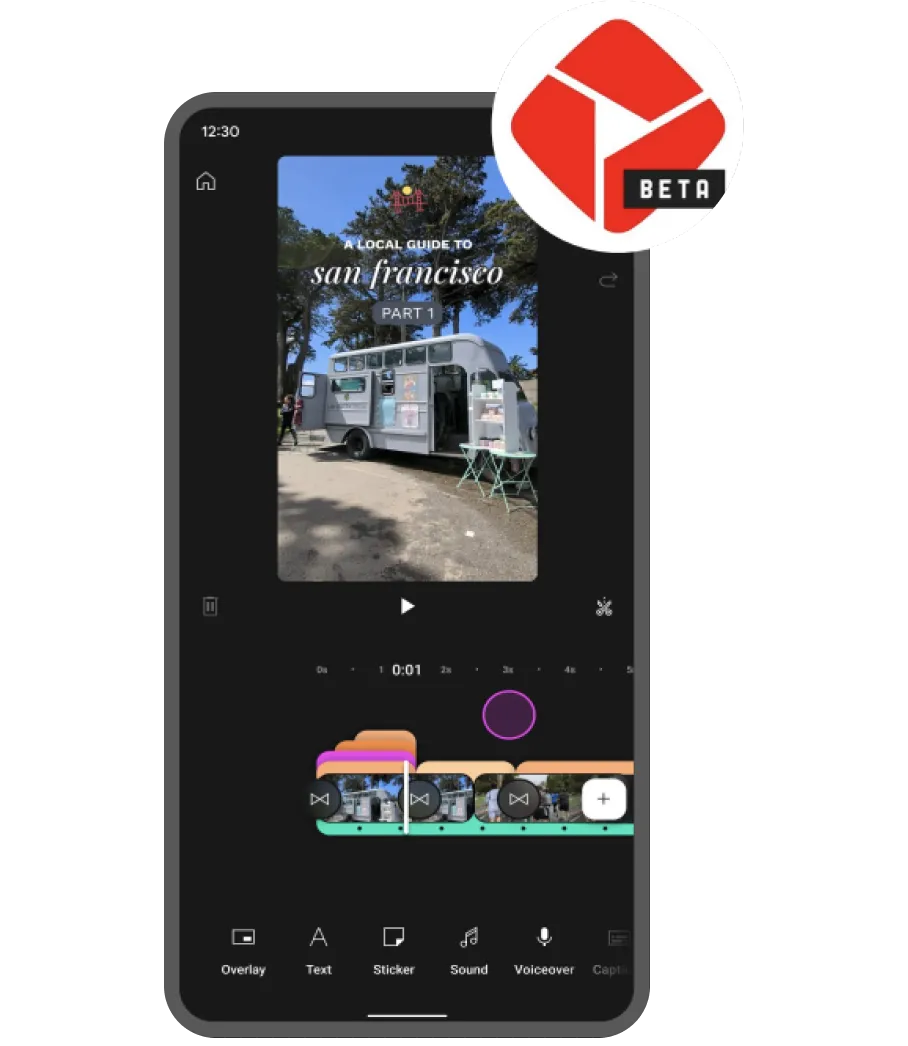
YouTube Create is currently available on Android. Stay tuned for more updates.
YouTube Create
Are you experienced with editing short form videos?
Do you need more advanced tools to bring your vision to life?
The YouTube Create App lets you edit Shorts and videos right from your phone and directly upload content to YouTube, all free of charge.
YOUTUBE CREATE TOOLS:
- Audio clean up
- Beat detection
- Cut out
- Effects
- Filters
- Font library
- Sticker library
- Transitions
- Voiceover
How to Engage with Fans on Shorts
How to Remix Videos and Shorts
Remix allows users to sample audio and visual content in their own Shorts. Remix your own Official Music Video or remix fan content to continue building a deeper relationships and inspire fans to create.
1. Find a Short or video on your mobile device.
-
On Shorts
-
On a Video

2. Select a Remix tool from the following and create a new Short.
Click the links below to learn how to use each feature.




How to Reply to a Comment with a Short
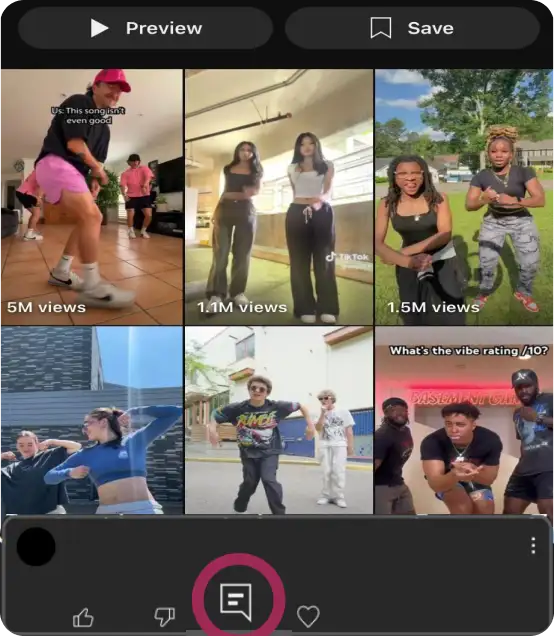
Go to the watch page of your Short or video.
Go to your comments, find a comment that you want to reply to, and tap the reply icon.
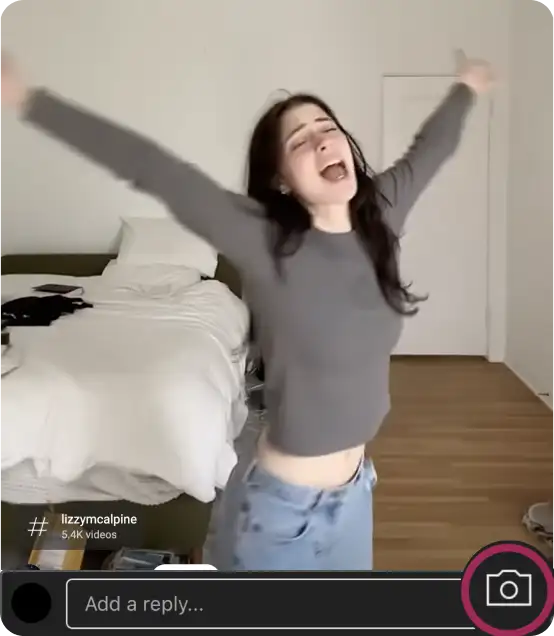
Tap the camera icon and record a Short to respond to the fan comment.
PRO TIP
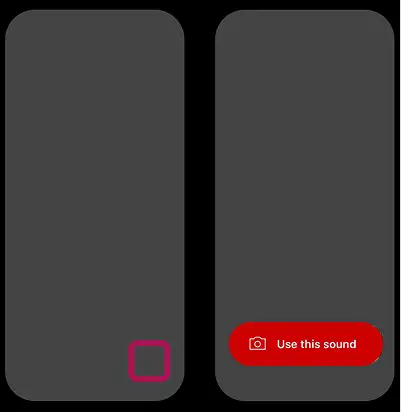
You can also remix audio from a Short via the Shorts audio chip or the official sound page.
Shorts Tips
-
Focus on Quality, Not Quantity
Channel size or number of uploads do not influence how your Shorts perform. Make the best Shorts for your music, your wellbeing and your fans. -
Stay Patient While You Test and Learn
It may take a bit of time for your content to reach the right fans, so don’t get frustrated if you don’t see immediate success. Keep testing new ideas to find your niche. -
Upload Shorts Consistently
Consistency is key on Shorts, so keep your content front and center for fans. There is no minimum posting cadence required in order for your videos to have a chance to perform well. -
Make Many Different Shorts for a Song
The more a fan hears your song in Shorts, the more likely they are to listen to your song in other formats. -
Display Text or Lyrics on Screen
Use text as another way to draw fans in and continue watching, even the fans that might be watching with low or no volume.
PRO TIP
-
TITLES & DESCRIPTIONS
Titles and descriptions are one of many signals that the algorithm uses to recommend videos, so keep them relevant to your Short. Include 2 or 3 relevant hashtags, but you don’t need to include #shorts.
-
THUMBNAILS
Don’t stress too much about the perfect thumbnail as Shorts show up directly in the Shorts feed. Consider highlighting a clear clip as the thumbnail, like an important moment or end result of your Short.
Shorts Inspo
Let’s take a look at some artists from all around the world who are killin’ it on Shorts. See what’s been working well when artists promote their music on Shorts and use that inspiration to think of your own content ideas.
Bring Fans to the Show
Carin Leon gives fans everywhere front row seat to experience his show on Shorts.
Share If You Can Relate
Lauren Spencer Smith let fans know that her song is relatable to anyone who’s been in love.
Tell a Story
Idgitaf shared personal memories in her music video and invited fans to share their own.
Share the Success
Peso Pluma shares moments when he reaches milestones to celebrate with fans.
Want More Resources for Artists?
LATEST BEST PRACTICES PLAYBOOKS, AND ARTIST SUCCESS STORIES ON OUR WEBSITE